Going Multi-Platform – Adding a Mac to the Grid: Part 1
- Driver Factory Part 3 – RemoteWebDrivers and my very own grid
- All is not as it seems: Checking the right browser launched
- Enter the Matrix: Selenium grid made simple
- Going Multi-Platform – Adding a Mac to the Grid: Part 1
- Going Multi-Platform – Adding a Mac to the Grid: Part 2
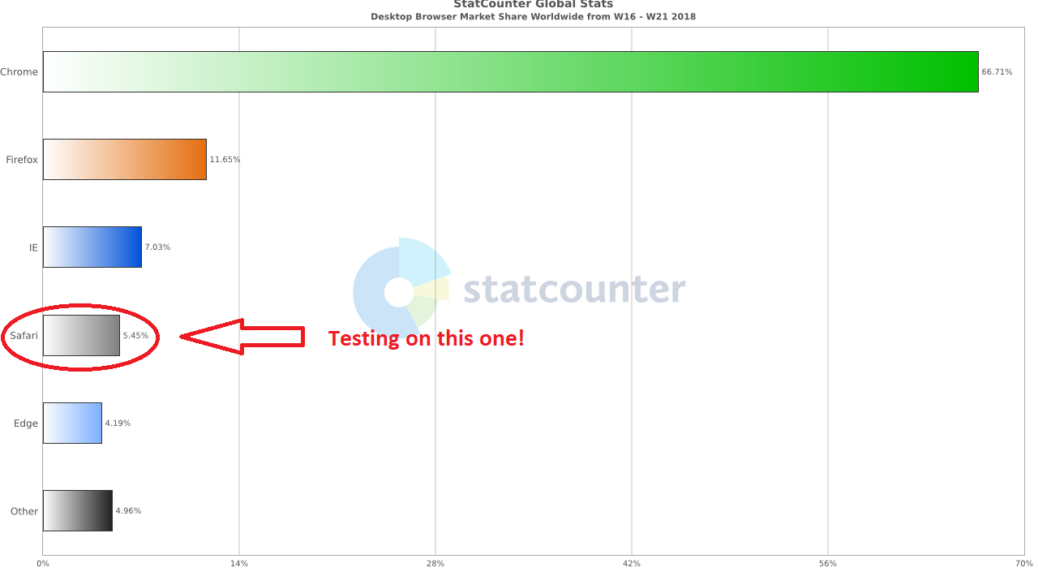
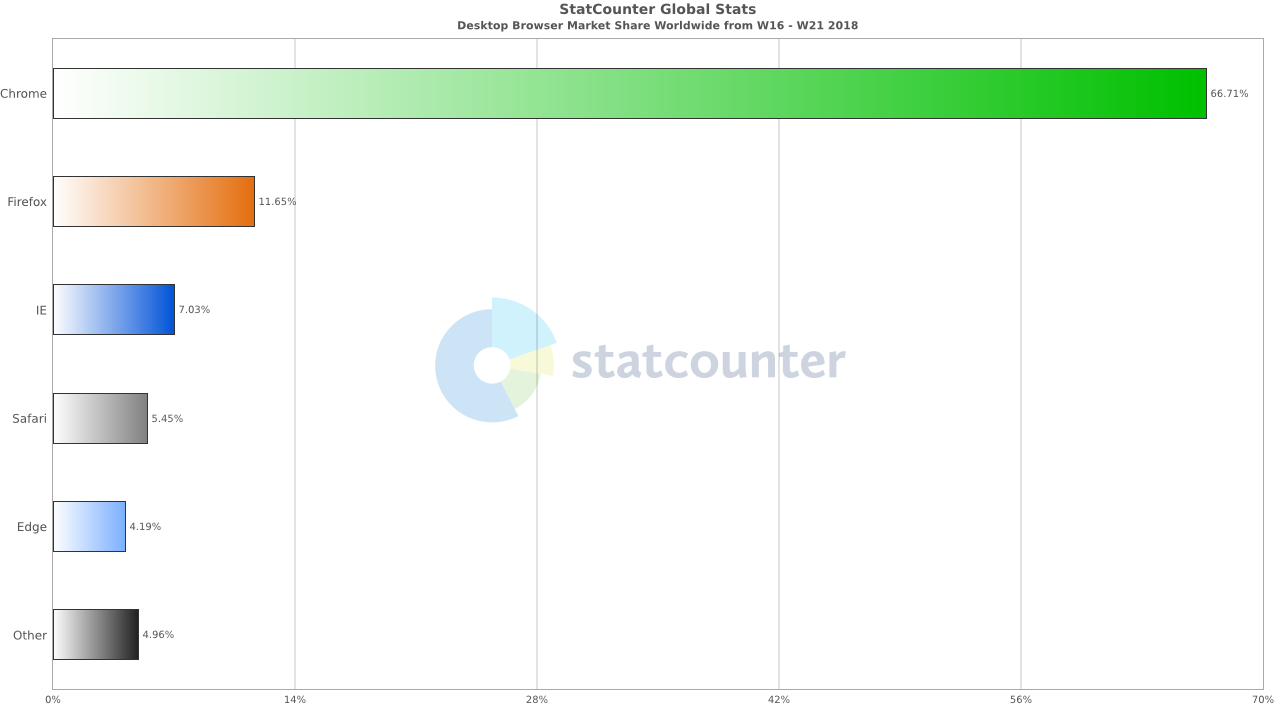
Apologies if you got a link to the incomplete first attempt at this post. This one is the real deal. It has long been my intention to look at adding multi-platform testing to my set-up, and finally I got my hands on a Mac to see if I could get it working. I am sure that I could easily have got a linux VM up and running in no time, but both my stats for this site, and from gs.statcounter.com clearly show that the only non Windows browser I need to worry about is Safari.
Of course, once I have a Mac on the grid, it should be trivial to add Firefox and Chrome on MacOS support too right?
So how do we do it?
- Acquire a Mac. The expensive bit: Even 5 year old Mac Mini’s going for around £200.
- Ensure its up to date and install Chrome and Firefox.
- Install a Java 8 or later jre.
- As with Windows:
Download the Selenium server jar, and Mac versions of the chromedriver and geckodriver executables into a safe location. In the same location create a .json file to configure this new node. This is what I came up with for mine.
{
  "capabilities":
  [
    {
      "browserName": "safari",
      "maxInstances": 1,
      "seleniumProtocol": "WebDriver"
    },
    {
      "browserName": "firefox",
      "maxInstances": 5,
      "seleniumProtocol": "WebDriver"
    },
    {
      "browserName": "chrome",
      "maxInstances": 5,
      "seleniumProtocol": "WebDriver"
    }
  ],
  "proxy": "org.openqa.grid.selenium.proxy.DefaultRemoteProxy",
  "maxSession": 5,
  "port": 5571,
  "register": true,
  "registerCycle": 5000,
  "hub": "http://192.168.0.12:4444",
  "nodeStatusCheckTimeout": 5000,
  "nodePolling": 5000,
  "role": "node",
  "unregisterIfStillDownAfter": 60000,
  "downPollingLimit": 2,
  "debug": false,
  "servlets" : [],
  "withoutServlets": [],
  "custom": {}
}
Note that I only register a single instance of Safari. It seems that rather similar to Edge on windows. Safari will only run a single test browser instance at a time.
Also I totally failed to get name resolution working, hence the IP address in the config.
Hang on a second, you forgot the safaridriver!!!
Well no as it happens. One of the few things I like about Safari (since version 10.0) is that it includes its own selenium driver. Of course it is not turned on by default so just:
Open the Develop menu and enable ‘Remote Automation’
Then pop open a Terminal window in the directory you saved the files in earlier. For me then the command to get it running and attached to my grid hub is:
java -jar selenium-server-standalone-3.12.0.jar -role node -nodeConfig mac.json
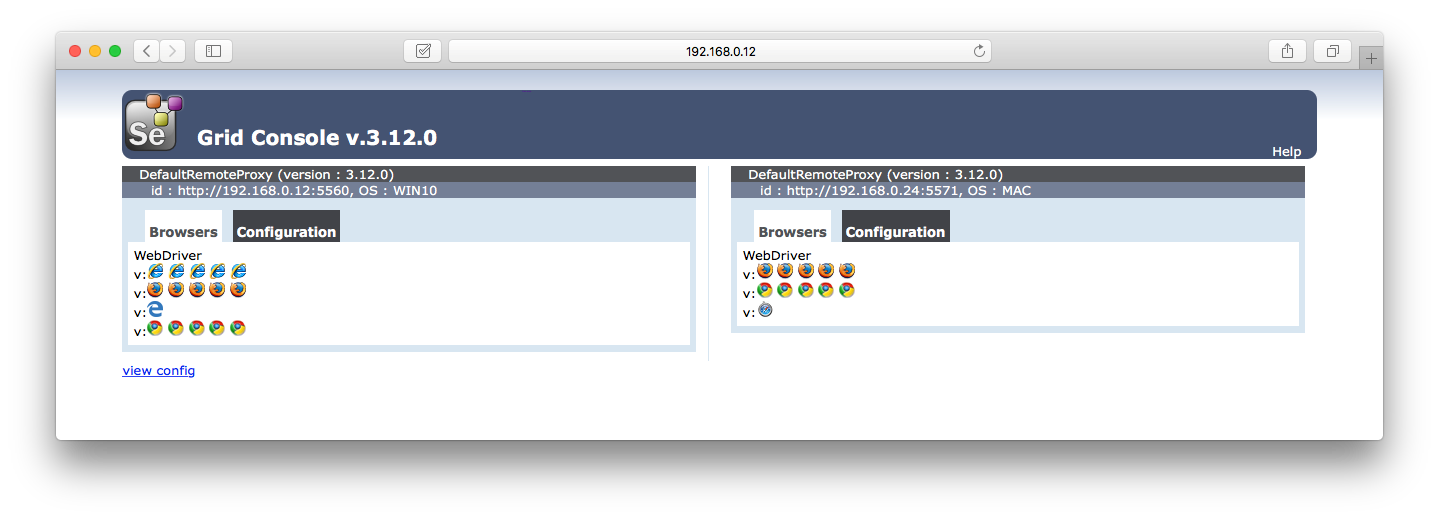
and boom. It really is that simple:
Then its just a case of updating my code to add the new browser options. Oh, and fixing my tests to actually run on them of course! That’s for next time though…..
Progress made:
- Updated my grid hub to version 3.12.0 and updated all drivers.
- Mac node configured with Chrome, Firefox and Safari browsers now available on the grid.
Lessons learnt:
- No matter how many times I try, I really don’t get on with MacOS / OSX.
- Configuration of Chrome and Firefox is as on Windows.
- Safari does not require an additional driver download.